/images/earth.jpg

A Programming Guide for the New Era - 2026

This article originally began as the draft script for an internal talk at my company, but I decided to turn the reusable parts into a public blog post. So I will deliberately avoid any internal repositories, processes, or case studies, and keep only the methods, work habits, and mindset shifts that are useful to most developers.

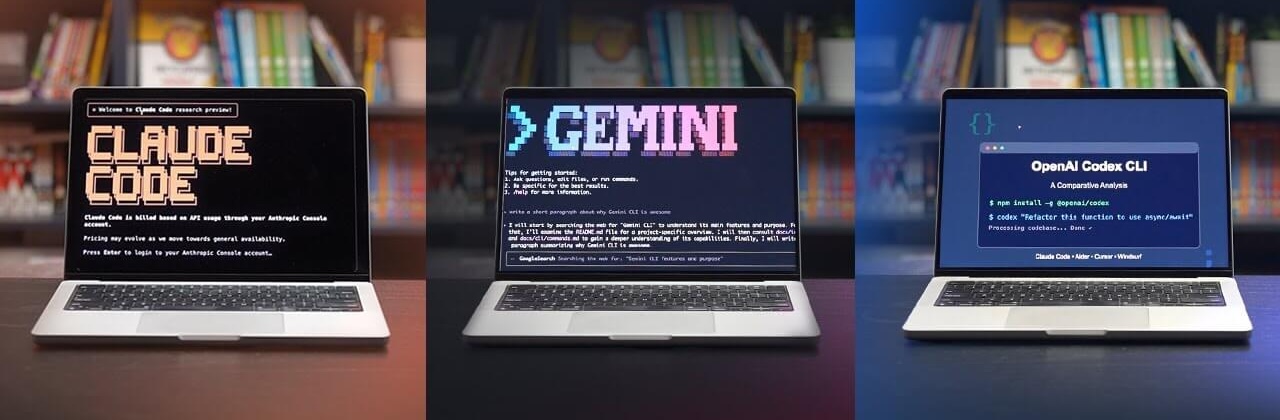
The main audience for this article is people who are still using IDE-based AI assistance and web chat products from large models, but have not really used command-line tools such as Claude Code or Codex CLI yet. Through this article, what I want to convey is why CLI tools are the future, along with a rough beginner-oriented introduction to how they are used.

If I had to summarize the core point of this article in one sentence, it would be this: large-model-assisted programming is only the starting point, while Vibe Coding is a new way of working. It is not just “an IDE with an extra chat box,” nor is it simply “asking AI to autocomplete code.” It is closer to gradually reconstructing the act of “writing code” into the process of “describing goals, constraining execution, reviewing results, and iterating on the system”. And for the latter, all you really need is to interact with an Agent in natural language.

The Future of Human Work Might Just Be Pressing Enter for AI

Cover image: The Stanley Parable. Its protagonist, Stanley, is Employee 427 in an office building, and his daily work consists of repeatedly pressing keys exactly as the computer instructs him to.

First, I want to make one thing clear: this article is entirely based on phenomena I’ve observed recently and the thoughts and reflections that came from them. Every word was typed by hand, and no AI was used in the writing of this article.

Investigating how Codex context compaction works

Original author: Kangwook Lee

Original article: https://x.com/Kangwook_Lee/article/2028955292025962534

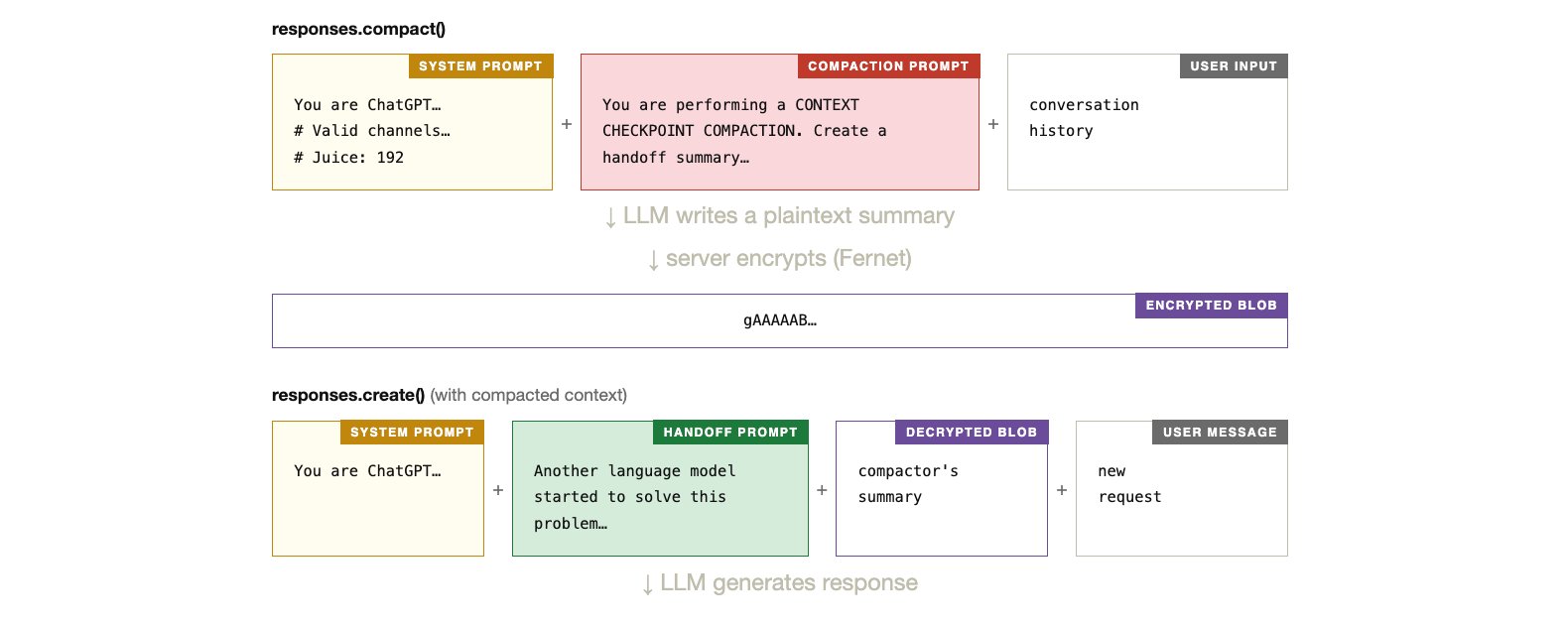
For non-codex models, the open-source Codex CLI compacts context locally: an LLM summarizes the conversation using a compaction prompt. When the compacted context is later used, responses.create() receives it with a handoff prompt that frames the summary. Both prompts are visible in the source code.

Visualizing L1 and L2 Regularization on a Cross-Entropy Loss Surface

I had wanted to write this post for a long time. Once I finally got ECharts working inside my blog, I could finish it properly.

The goal here is simple: make L1 and L2 regularization visible. Instead of discussing them only as formulas, we will look at how they reshape a cross-entropy loss surface in 3D. That makes several abstract ideas much easier to grasp, especially why L1 regularization often produces sparse models and therefore behaves a bit like feature selection.