I Used Codex to Build a Riichi Mahjong Handbook Site

Recently, I used Codex to build a beginner-friendly riichi mahjong site: https://simzhou.com/riichi_mahjong_book/en/.
The source repository is here: https://github.com/SimZhou/riichi_mahjong_book.
Background 
I recently got into Mahjong Soul, then quickly realized I kept dealing into other players, to the point that I almost rage-uninstalled the game.
In the end, I decided I should seriously spend some time learning riichi mahjong.
That led me to a riichi mahjong tutorial site that seems fairly well known in Japan: http://beginners.biz/
It looks like the site had once been reposted and translated by a blog called 79, but that site appears to have shut down, so I decided to build my own version.
Building the Site with Codex 
Using Codex for this turned out to be very simple. It is especially good at this kind of fairly direct frontend-and-backend work.
In practice, the whole project got started from a single prompt:
Please build a riichi mahjong handbook site based on http://beginners.biz/.An Important Pitfall 
At first, I used Codex + GPT-5.4 and directly asked the model to translate the source pages one by one and turn them into web pages.
The frontend and backend themselves were fine, but the translation and layout quality were disappointing.
Sometimes one illustrative image would go missing; other times some content disappeared. In some places, the model even added its own interpretation or made translation mistakes.
And even after asking the model to review the output several times, those issues still were not fully resolved.
Here is one example where an illustrative figure from the original page was lost after translation:
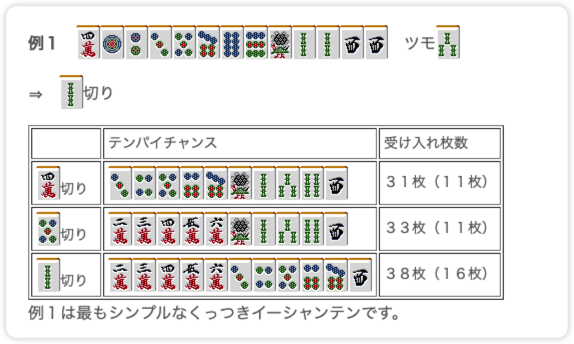
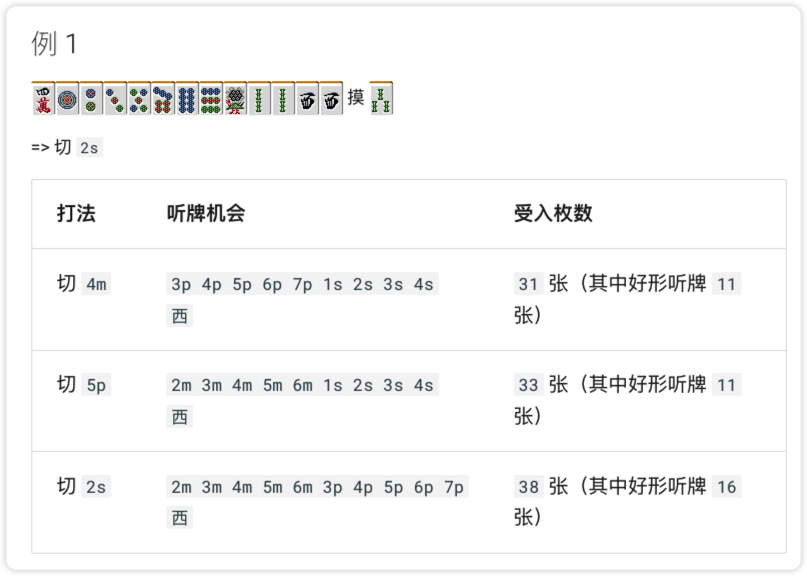
At that point I was thinking: translation should have stopped being a hard problem for large models years ago.
Especially for a model like GPT-5.4, which is one of the strongest models currently available, this kind of low-level mistake really should not have been happening.
So I tried creating a Skill, and suddenly things became much easier.
The Results After Using a Skill 
I used Codex’s $skill-creator to create a Skill and gave it instructions roughly like these:
- The input is the original Japanese webpage, and the output is the webpage in the target language
- Translate as faithfully as possible to the original meaning, without adding your own interpretation and without losing content
- Do not omit any illustrative figures from the original page
- Do not alter the page layout or styling, and preserve structures such as tables
The result was much better. The translated pages stayed very close to the original, both in wording and in layout, with almost no obvious issues.
Below are comparison images:
The left is the initially generated page, the middle is the corrected version after using the Skill, and the right is the original Japanese page.
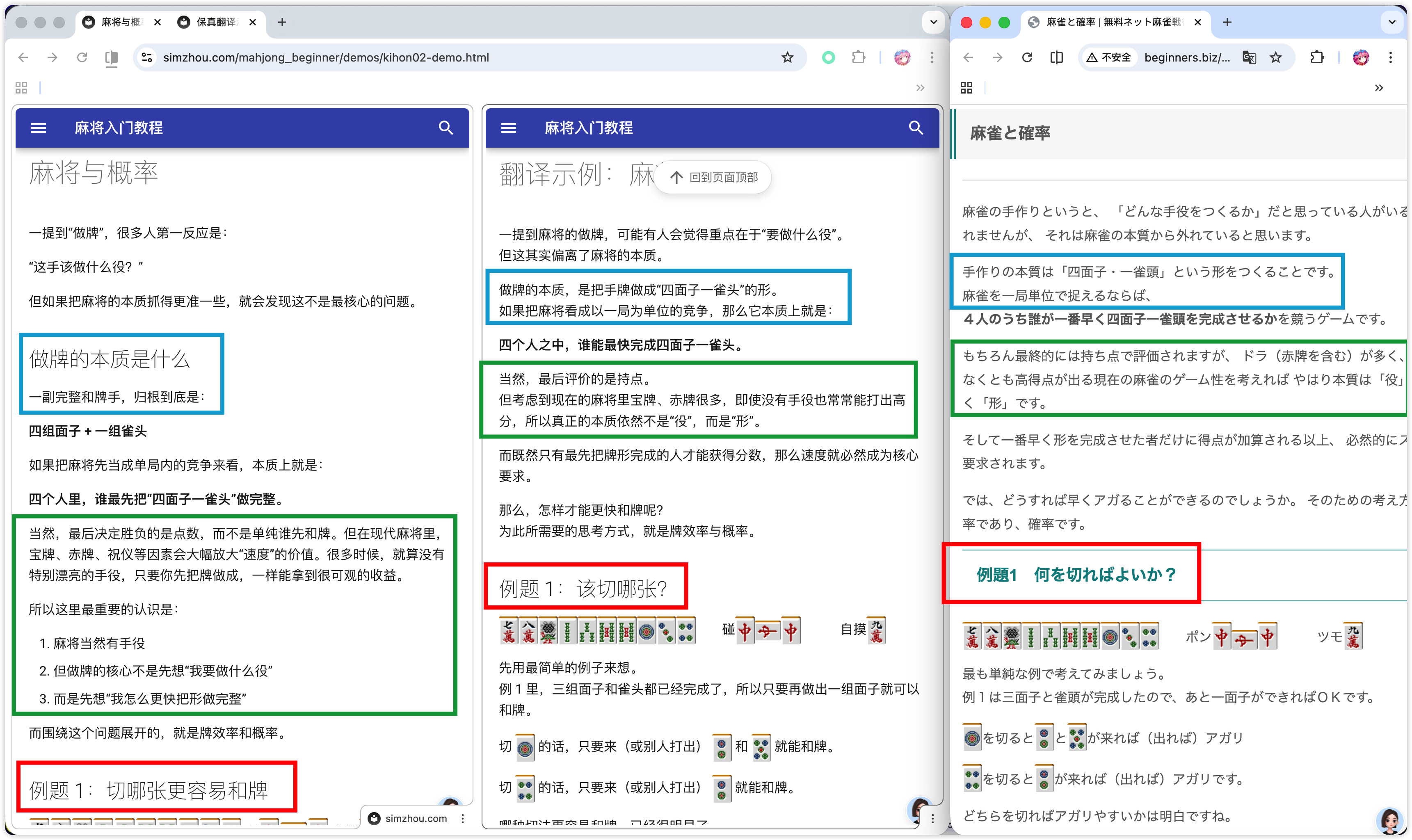
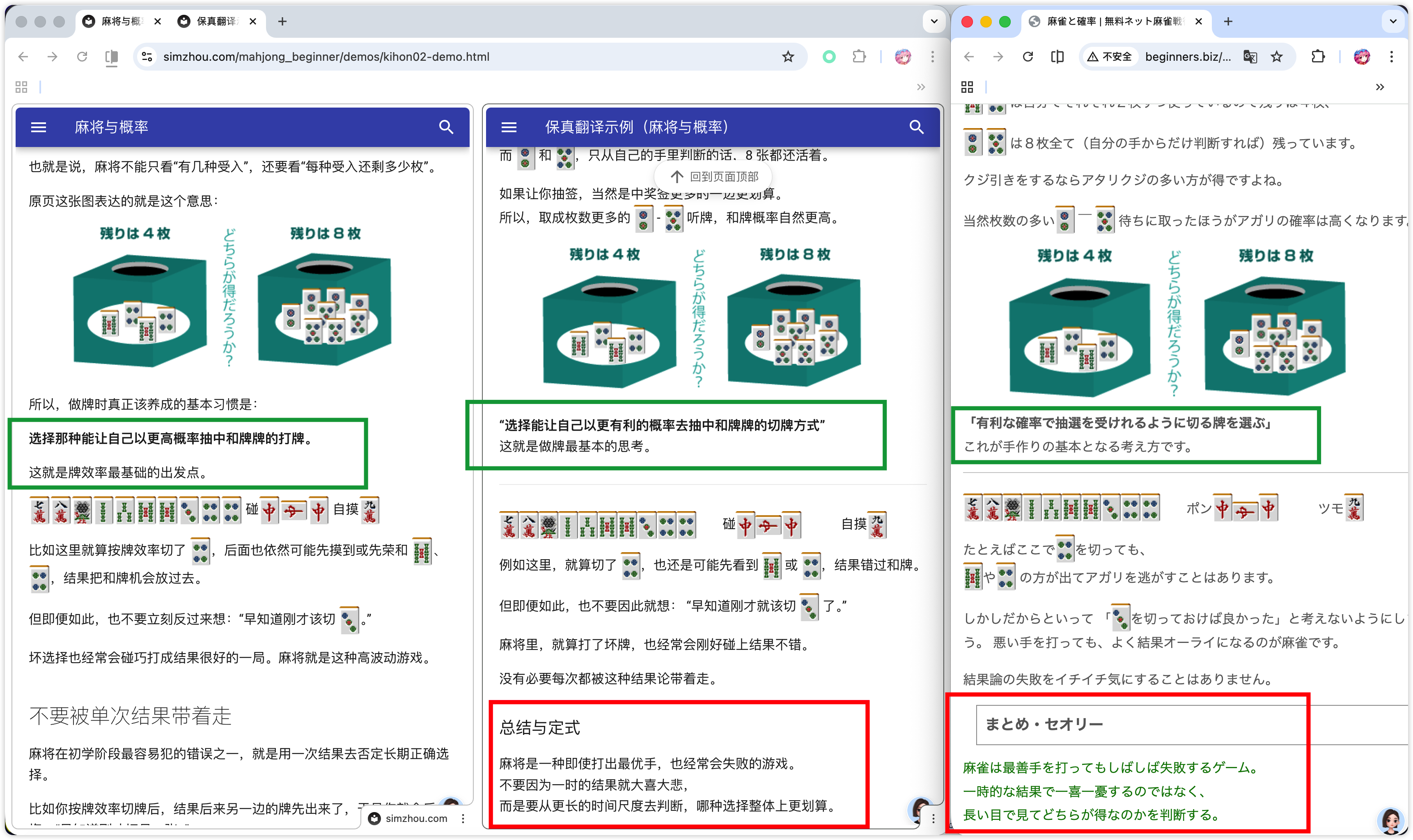
You can clearly see that the corrected version is much closer to the original page, with both the content and the layout preserved more faithfully.
The length of the content also stays roughly aligned, without becoming obviously longer or shorter than the source.
(The final refined Skill file is here: translate-japanese-webpage/SKILL.md)
Summary 
For a task like this, Codex can already do a pretty solid job.
The main drawback is that I still had to keep pressing Enter for Codex throughout the process.
Later on, it would be worth exploring a multi-Agent / SubAgent workflow: for example, assigning one Agent to supervise content quality and another to handle webpage translation and layout.
That would get much closer to having AI collaborate and complete this kind of work automatically.